Create a Hello World app
The easiest way to create an outerframe app is via Outer Shell within Outer Loop.
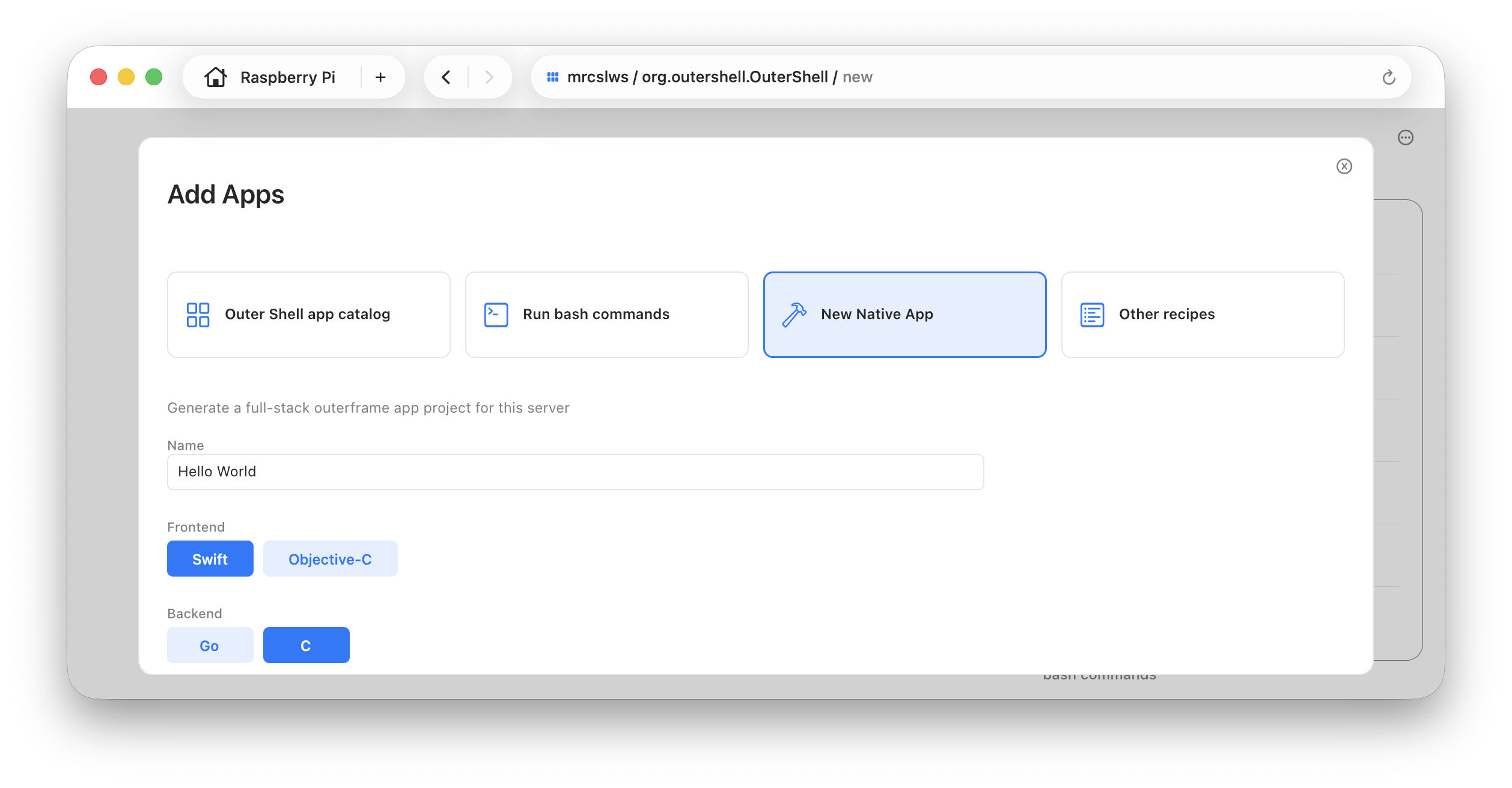
This will create a project that is immediately ready to be deployed to the device.
Alternately, here is an even simpler outerframe app that you can start from:
- C: https://github.com/outergroup/hello-outerframe-macOS-objc
- Swift: https://github.com/outergroup/hello-outerframe-macOS-swift
Then change it to fit your use case
Use tricks from the cookbook: https://github.com/outergroup/outerframe-cookbook
Importantly, coding agents are already pretty good at building macOS outerframe apps, because the platform is macOS. We don’t have to wait for the language models to pretrain on outerframe examples and documentation.
One good strategy is to use a coding agent like Codex or Claude, and point it to a couple example projects like:
- Top: https://github.com/outergroup/Top
- Files: https://github.com/outergroup/Files
- Profile: https://github.com/outergroup/Profile
- Firehose: https://github.com/outergroup/Firehose
- Plaintext: https://github.com/outergroup/Plaintext
- Outer Shell: https://github.com/outergroup/outershell
and then tell it what you want to build.